
LESSON #40: Using Graphics On Your Website
In the recent lessons, we’ve been talking about building your website. Some of the most common questions that I’m asked regarding the website building process are questions pertaining to pictures and graphics.
So today we’re going to talk about graphics…
(Watch this video…

Main points:
Design Guru Ryan - http://designgururyan.com
Brent and Joe - http://www.minisitefrog.com
Karl Warren - http://ecoverninja.com
James - http://www.minisitestudio.com
(Prices ranging from $197 to $997)
-Be cautious about using random freelancers
(See video for examples of my sites)
One or two well-placed photos can go a long way in turning a bland HTML page into something that captures people’s attention.
1) Use your own.
2) Public domain.
http://en.wikipedia.org/wiki/Wikipedia:Public_domain_image_resources
Just beware of “non-commercial use” clauses, and don’t waste time looking for a perfect image in the public domain when you could quickly license one for under $2.
3) License it from a stock photo site.
Such as…
Istockphoto
gettyimages.com
photos.com
stockphoto.com
shutterstock.com
IstockPhoto - my favorite source because…
- they have high quality standards
- they have a great selection
- they’re cheap! starting at $1.50, or less if you’re buying in bulk.
Be aware of license terms - generally you can not use it in an item for resale unless you purchase a special license.
(See video for demo of obtaining and using a photo from Istockphoto)
Ecovers help sell your info-product, because they help your prospect conceptualize it. It builds more value in your product (as long as the Ecover isn’t really ugly).
-You can buy a custom Ecover for $67-$100 for good quality.
-Or you can make your own. I make all my own Ecovers. I used to use Photoshop with action scripts. Now I use a simple software program called Ecover Engine…
Recommended product:
Ecover Engine enables you to make great Ecovers, even if you have no graphics skills at all. You can make Ecovers for ebooks, software programs, audio recordings, videos, and more.
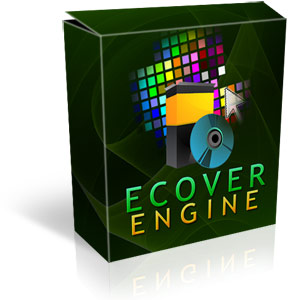
You can grab it at a special low price at:
Click Here to go to Ecover Engine
Action steps:
1) Decide what kind of graphics strategy you want to use for your website. For example…
-The “intentionally ugly” look
-The minimalist few graphics look
-Professionally designed graphics package
2) Put some images/graphics on your website.
In the next lesson we’ll be looking at how to put video onto your website.
As always, you are welcome to post your questions and comments below.
Have a great day!


I never take the time to tell you, but I watch and read everything you send to me and yes I even learn stuff too. I want to thank you for all the lessons and tips.
you’re very welcome
Eric,
I Really enjoyed this one especially!
I’ve always been drawn to things visually and even remember back in the day trying to make all my ebay listings stand out better than my competitors through graphics!
Your EcoverEngine looks like an Excellent product and I can’t wait to get a copy! It diffently has a lot more options than other similar programs I’ve seen and a much much better price as well!…Thanks!
Put Your Website Traffic on 100% Automation. Learn How with A Free Membership at:
http://www.InstantTrafficPaysites.com
Cool thanks Gary!
Hi Erics,
Thanks & you has given us given us confidence
on this business, always.
We are interested on the ugly site that you
had shown us, its sound good to us, that kind
of site could make $2K/mth.
We need to you share on this simplest site
how its could generated money & does all
sites that generating money need to be
licensed
Regards, Mohd
It was simply an information product (ebook), which is exactly the type of business I am teaching to build in these lessons.
One other thing that I should have mentioned…
Even though that ugly site was making money, it is quite possible that it could have made more money if it was a nicer looking website. You would have to split test designs to determine something like that. Also, a site shouldn’t be ugly just for the sake of being ugly. After all, there are plenty of ugly sites that don’t make a dime. It would need to be “strategically ugly”. In other words, you would still need to apply various marketing principles to it.
lucky, i can design my site’s graphic myself…
Thanks. Getting appropriate images is my biggest problem. You have helped.
Graphics can be very important, especially for product graphics because they increase the perceived value of products. However, you may want to test your pages with and without graphics because I have heard that they sometimes can hurt your conversions.
Hi Eric
Good to have you back. Thanks for all the really useful tips and info.
Eric, you always seem to hit the details man, , , thanks!
Eric,
Thank you for your great tips.
Ecover Engine and Istock Photo were really helpful. I was nearly going to spent $97 for an eCover software.
Are you covering any basic tutorial on GIMP?
I’m not planning a tutorial on gimp, as I’m not a user of the program. But they do have a lot of documentation at:
http://docs.gimp.org/2.6/en/
Hi, I designed my web logo using GIMP. The tutorials on the site Eric gives are really good, also try gimp-tutorials.net. GIMP can take a bit to get used to but once you do, you find yourself using it all the time.
I have no graphic design background, so my logo is pretty ameteur but hey, it was free and I did it myself!
Also, check out photoshop tutorials. While the programmes are different, there are some similarities and the photoshop tutorials can give you an idea of what you can do in GIMP.
I also found somewhere a tutorial on designing ebook covers in GIMP, but I can’t find it now.
Hi Eric I love your lessons, they always seem to come at the perfect time, I was just wondering about ebook covers! My site has just had a re-vamp I would love to know your thoughts! Its only been live a few days but so far the ‘ugly’ site sold better!
Thanks for your tips and the great humanitarian work you do.
I did all the design myself on my first site.My header was a simple rectangle with added photos. I try to add photos to all of my posts as this draws the attention of the reader…I will not build an ugly site intentionally.. better to spend a little more time and effort to do a site that is pleasing to the eye.. that is my opinion.
This is a great example Eric. I have been guilty of getting too hung up on fancy graphics and pretty webpages, not necessary to sell and profit online. That said, graphics is a great way to make a professional impression, and to brand your business.
As for free images, Flickr is a great resource for creative commons graphics, you only have to site them when using their graphics.
While it is not directly related, 99designs.com is a great way to get a design you are happy with. 99designs.com is a place where designers compete, and you vote and interact as they submit and revise designs. That is where our site logo came from.
Thanks for putting this together.
-Travis
I find all of your tips to be very useful and appreciate your honesty. My main problem has always been: how do I get traffic? I’ve read many things about the subject and tried them but it still is a mystery to me.
Basically you have three options…
-buy it
-work for it
-”borrow” it
I’ll be covering traffic in depth later in the lessons.
Can’t wait for your Traffic lessons Eric…I feel the same way Bill does a lot of the time & PPC just seems to expensive for a newbie.
Gary
Continuous Targeted Traffic = article marketing.
You can write yourself, you can hire people to write for you, you can use software like Dragon Naturally Speaking to write the articles.
It takes some time to get the traffic flowing but when it starts and you keep adding more articles on continuous bases you will get traffic.
Hi Eric
Can a website just be plain and have good content but not ugly or really pretty and still make money?
Absolutely. That’s sort of what I was trying to imply, when I was talking about going for a “minimalist” approach. Most of my sites are just average looking. Not ugly, but not a lot of fancy graphics either.
Hi Eric
Yet another good informative video!
For my first site, I was worried about using common images ‘off the net’ and a ‘free’ header or template - so my site is all my own and I only used my photos and did my own header using Photoshop. Yes it did take a long time to do - but hey - it’s unique - so no worries about copyright for me!!
(I also think my site looks more personal)
regards
Graham in UK
Cheers Eric, awesome information again as usual.
Great tips Eric! Aside from being a Photoshop author, I’m the Chief Evangelist of iStockphoto. I’d love to offer all of your readers 10 free high-resolution images — no string attached! All they have to do is go to this link and sign up:
http://www.istockphoto.com/lesasnider
It’s a great resource!
Thanks Eric for another very educative video. I have actually been wondering if my site is not too plain to be taken seriously by my visitors before your lesson came.
I’m really amazed to see the sites you showed that were, and are still turning in thousands of dollars, even though they are plain.
With what you have shown, I think the most important thing is to concentrate on providing exactly what people need, rather than worrying about having a flashing site without real value, if I’m wrong please correct me - I’m your humble student.
I really appreciate your teachings and the recommendations on where to get images, and how to design ecovers in this one. Thanks!
you are right… focus on what people want and need
Hi Eric, Carmelo here I enjoyed a lot your teaching and appreciate everything I learn daily…I need some help in setting my wp blog…I set my wp site (gear theme) and start doing some plug in installations and changing the settings and now the side bar links do not work. When I click the sidebar links it gives a message saying that the page cannot be found…Please where I can find some help.
Carmelo
You can find free help in the forums at:
http://wordpress.org/support/
Hi Eric,
Excellent video! I would like to add another free photo site, Stock Exchange can be found at: http://sxc.hu/index.phtml
Here is my photo gallery. http://www.sxc.hu/gallery/jmgray
I always look forward to your videos. Thank you so much for taking the time to make them.
(I hope you will be covering how to make screen casts in an up coming video.)
Kind Regards,
Jeri
Great resource… this is my favorite because they have great free images as well as paid.
Thank you Eric! This was so helpful.
Great lesson.
We tried free photos when we first put our site together. Mistake. We found a better photo site and paid a reasonable price for our images. What a difference a few well spent dollars can make.
Thank you for the source info.
Hi Eric,
Cools stuff !!
Please allow me to have 2 small “point” to be added to this post :
http://www.youtube.com/watch?v=GXOtTgQjWpU
Thanks (again) for your (again) intersting post.
Hey Eric,
I have been following your lessons since lesson #1 and have gained quite a bit of knowledge and practical advice. Congrats on your new pics sites.
I know this is off topic but I was wondering what year you officially got your internet marketing career started?? I’m not sure you have mentioned that before. You seem to have come a long way in a short time. I know Ewen Chia has been at it for about a dozen years now and I also follow him along with Chris Rempel and Stan Stuchinski. You guys are all straight up guys. lol
Officially I started in 1999, so I’ve been around the web for awhile
But I did not go full time until 2003.
I built my business largely by trial and error. The point of these lessons is to shorten the learning curve for you, and shave years of trial and error off of the process.
Yeah Ewen and Chris are good guys. I have not seen Stan’s stuff but I’ll take your word for it.
I am still waiting for LESSON #41, Eric. Please help me because it did not go to my email yesterday. Thanks!
Cool Thanks! By the way I also love the France Shots!
Great teaching. I love your straght forward simple way to teach.. this is of great value for me… thanks a lot
Hi there Eric,, i have been following you since last summer and i have got my little blog live on the web now.
I apreciate all these info that you always share, and who knows some day we may bump each other on one of my vacation trips like you do once i have established my virtual real estate and have that financial freedom that you have..
Thanks and God bless always….
Hi! Eric, that software is what I was looking for a long time, it realy is an easy and usefull one. Thanks a lot.
Gary is right, now the traffic will be the next big must have under our belt…
Thanks so much, I enjoy all your tips, videos, and comments, they a rich in facts as well
Michaela
Yes, I remembered you were one of the people who had asked for something like this months ago. So I had you in mind for this lesson
Hi Michaela,
I sent you an IM on Twitter…hope you get it!
PS: Guess I better order the Ecover Software before I forget!
Take Care,
Gary
Oopps…thats my message above
Yes I get all your messages on twitter, actually is the easiest way to communicate at this moment.
Regards
Michaela
Dear Eric,I really enjoy reading your lessons and the comments of the people. I don’t have a web, yet.Are you going to have something on all these lessons to sell ,at the end of all your lessons? If so do you know what the price will be, yet?
Thank you
Jeanette
Yes I will be including all these lessons as a part of a full home study course when I’m done making them. I don’t know the price yet.
I’ve got your Lesson #40 last week but Lesson #41 hasn’t arrived yet for more than 3 days and 3 nights by now. Do I have 120 Lessons in reality, Eric?
It will be 100 lessons. I’m workin on them
Eric,
This lesson, #40, is the last one I have received - on May 31. Have there not been any in June? Please advise.
Thanx,
Henry
WELCOME BACK ERIC!
GREAT TO HEAR YOU TEACHING THE GREAT STUF AGAIN !
Hey Eric, I have been following these tips to see if I can acquire enough understanding about starting an internet marketing business or not, before I lay out any cash. But lately, the frequency of the tips has dropped off from every day to one or two a week. I wonder if this is a marketing strategy or a time management issue.
I’ve also been waiting for some specific information about creating or developing, or piecing together an eproduct in the tips course. Picking a topic or niche, researching the competition, etc… is all really important, not to mention very interesting. But when are you going to tell us if you write an ebook, or use public domain, or take a concept from a sucessful site and put your own spin on it, or a combination of the above. I don’t know? Please reply.
It’s because you’re now caught up to me, and I’m still making the lessons.
I will be covering product development very soon though!
Eric I have not recived any more lessons as of may 31st. What happened?
I’m still making the lessons
The next one will be posted soon.
[…] the previous lesson, we talked about how to obtain and add graphics to your […]
Is it possible that if you have to do a restore you can go to a point before you are registered for updates from a site? Just an idea Anthony.
Eric’s lessors are always the greatest. I have been a fan of Eric’s lessons a long time. Recently thou I started going back over them and Im missing lessons 10-11-12. Lessons 7-8-9 were in june 2008 but 9-10-11 are not in july, any idea on this Eric? Please do not run out of space we all need these lessons. And now that I am really looking at retirement I really need them, please help.
Thanks
Liz
Eric thanks for the great tip.
I also purchased your Ecover Engine, which I plan on using to create my eBook covers.
I would like to focus a little bit on eBooks, if you don’t mind and ask you and your audience, if anyone is aware of a good eBook Store Script that I can easy integrate into my website?
Hi Eric,
Thank you for your useful information always. Yes I like Istockphoto too but most of the times I take photos from google image, can I do that?
Thanks
No you should not take images from Google images and use them on your website. Those images belong to other people.
hi eric,my question is how do you put a fully functional shopping cart on a website?
There are many different shopping cart solutions. Paypal has an integrated cart, which may be the one of the easiest options… but then of course you’re limited to accepting Paypal.
Some of the most popular carts for internet marketers are 1shoppingcart, and Infusion, largely due to their integrated affiliate program management features. With those carts, most marketers use their own merchant account through a provider such as authorize.net.
There are also a number of free shopping cart scripts, such as the ones included in Fantastico (within Cpanel for most web hosts).
I realize that doesn’t exactly answer your question of how to implment it, but hopefully it will give you some places to look.
Hello Eric
I purchased the Ecover product and have not received the link for the download. I’ve used the help option but have not rec’d any response, can you help? Thx
Just sent it to you via the helpdesk. Thanks
Hi Eric…I did not get a link either…at least I can’t find it anywhere…could you send it to me?
Hello Claudia,
Will you please submit a quick support ticket at:
http://www.ericsupport.com/
We’ll be able to send you your download links right away!
Hi,
Nice information
Thanks.
Please Eric how do i get the content to put on my web site and how do i get the link of my affiliate?Thanks.
Hello Ado,
You can get content from inexpensive membership sites like this one:
http://www.monthlywebcontent.com/
Your affiliate link can typically be found when you log into your affiliate account, but you can always contact your affiliate manager for assistance.
Hi,
thanks again Eric.
Dyuane
thanks for your rapid reply to my ticket request.same hour service never though i would see that on the net.great job micah
Thanks Robert,
Glad to be of help!
Hi Eric,
I’m working on my blog in Wordpress and on the left sidebar there is something called a BLOGROLL ….can you explain that? Also, how do I get rid of the stuff in the magins that says “Development Blog” and all of that? Do I edit that out of the php by hand?
Hello Claudia,
The blogroll is a convienient link list of your own favorite blogs that you wish to share with your readers.
You may control the information that appears in the sidebars from within your WordPress admin panel under the “Widgets” section.
Hi Eric, I figured out the widgets and plugins a bit more so I see how you add and subtrack things from the sidebar. I have a question for you…..
What login pulgin do you use…or what kind of membership scheme do you think is best??
I would like for people to register to be able
to comment…and I want some people to actually post their own articles …how can I set that up in wordpress?
Thanks for your advice!
Hello Claudia,
We like to make it very easy for people to engage in discussion on the blog, so we don’t choose settings that make people jump through too many hoops to be able to post. That does invite a lot more spam though, so we use the Askimet spam filter to screen out most if it!
Here is the direct link to the WordPress support for the best help:
http://wordpress.org/support/
Hi Eric, Hope your feeling well again and your trip to Belize was a success. Thanks for making the offer to raise money for such a good cause. I hope that I can help more when I get going…I think that is something everyone should want to do and I believe in giving at least 10% to help others…I see you are giving 110%!!! I hope to do that too when I can.
I have a BIG question…
How do you know when you are done with a site for awhile?? Do you follow a checklist? I’ve put up a few sites now…5 sites…and now I have more to work on…but once I do the physical setting up which I think is fun…I’m feeling stuck and alone. I’m writing a few articles and posting them but nothing really is happening. My company site is
a review of everything I am doing…products and other things I find interesting…Should I have my company site have links to all the other sites I am putting up and then use Traffic Sage to push traffic to my company site?? I’m lost on what would work best…I don’t have the budget to pay for traffic generation to 15 sites….
What say you???
There are generally 3 reasons why I would temporarily or stop developing or marketing a website…
1) if I’m happy with it’s income and want to just let it “coast” for awhile on autopilot.
2) if I’ve determined that it’s not going to be profitable.
3) if I have other priorities that will make more money.
This business may require a lot of patience as you’re getting started. Free traffic sources like article marketing can take a lot of time to start seeing results. You’ll gain more insight when we get to the traffic lessons.
you could link your company site to your other sites, and focus on marketing the company site… but that may or may not be an optimal way to market your sites. With Traffic Sage, you would want to focus on whatever site you want to improve your SEO for (better search result rankings).
So a batter strategy might be to focus on one website (ideally the one where you’re selling your own product and/or generating a list), and then when it is profitable you will be able to afford the time and money to expand your business by shifting your focus (or outsourcing) to the next site.
Dear Eric,
Your Tips are very good for internet business and web design. As graphic and picture play a major role in web design as I am a developer
Also I have a picture and graphic web site FreeFotoFul.com to Download Free pictures and graphics to Use on website and Blogs.
I have developed software, soon I will upgrade to FreeFotoFul.com and I will upload thousand and thousand of more pictures.
Also I will provide a Free picture hosting service, to upload your pictures
Thank You.
Just bought ecover engine with resell amazing package just put together to sites too, happy days. Just need the lessons about find traffic now :>)
http://www.seeificanfindit.com/Ecover-Engine/
http://www.seeificanfindit.com/Sales-Letter-Creator/
any feedback on these appreciated.
regards
Fraser Taylor
Eric
Does ecover engine work on mac or is it windows based? (or both?)
John
It is for Windows only.
Ok Thanks
Hey Eric, Your Tips are great!
Also, wondering how “The Perfect Storm Product” is working for you?
So far so good… it’s certainly not the backbone of an overall traffic strategy or anything, but it’s a nice tool and it is bringing me some extra traffic. And I wouldn’t want to use it in many situations, but particularly for links that would otherwise go unmonetized (like sharing news on twitter) it’s a good solution.
thanks for your information
Eric,
I like the Ecover Engine. Is this a product you created? If so, can it be marketed in an affiliate deal?
Actually I private labeled it. I am adding it to my affiliate program for Eric’s Tips, and you will be able to promote it through clickbank. Thanks
Hi Eric,
Thanks so much for taking the time to answer. I’ll look you up in clickbank in a couple of days.
Be Well,
Dave
Eric,
I’m good at pictures and graphics so would a site like the Design Guru or ecoverninja be a good idea or would it be too completive.
Would it be profitable to use my love for storytelling into a Niche for example “Dog tales” or “Rusty and the Lost Boys” kind of thing?
I love art and things but need to earn money and don’t want to waste time barking up the wrong tree. (Story of my life)
Thanks, Walt
The freelancer realm is very competitive. But it really just depends if that’s what you WANT to do.
If you want to be a graphics guy, and you have the skills to pay the bills, then you should go for it. Just keep in mind what I talked about in lesson #6:
http://www.ericstips.com/tips/lesson6/
If you’re self-employed rather than a business owner, you will be limiting your earning potential and you may still feel like you have a job.
In terms of story telling, I would probably not integrate it into an information product, but it could work well for your sales letter. Sales letters (or videos ) that tell stories are often the most effective ones.
There is no question about it, Eric, you are a great teacher!
Kindly tell me, which of your courses covers all the stuff that you are sharing here that I could buy? Or do you have a transcript of this video course or a combination of both?
Thank you for sharing freely. Your contribution is highly appreciated!
Dr. Sunny Obazu-Ojeagbase
The complete course will be available in a few months, with transcripts, and I will announce it to all Eric’s Tips subscribers
Thanks